Your next home.
A clearer budget.
A clearer view of the money you need to buy, or the money you keep when you sell. Build an estimate, understand the details, and take a useful worksheet with you.
Plan your closing budget
Current source data is loading. Until it finishes, the amount shown is a server-rendered static example and the controls are disabled.
Free to use. No account needed. Your estimate inputs are saved on this device. Open the full buyer calculator.
From estimate to conversation
Bring the numbers. Leave room for the answers.
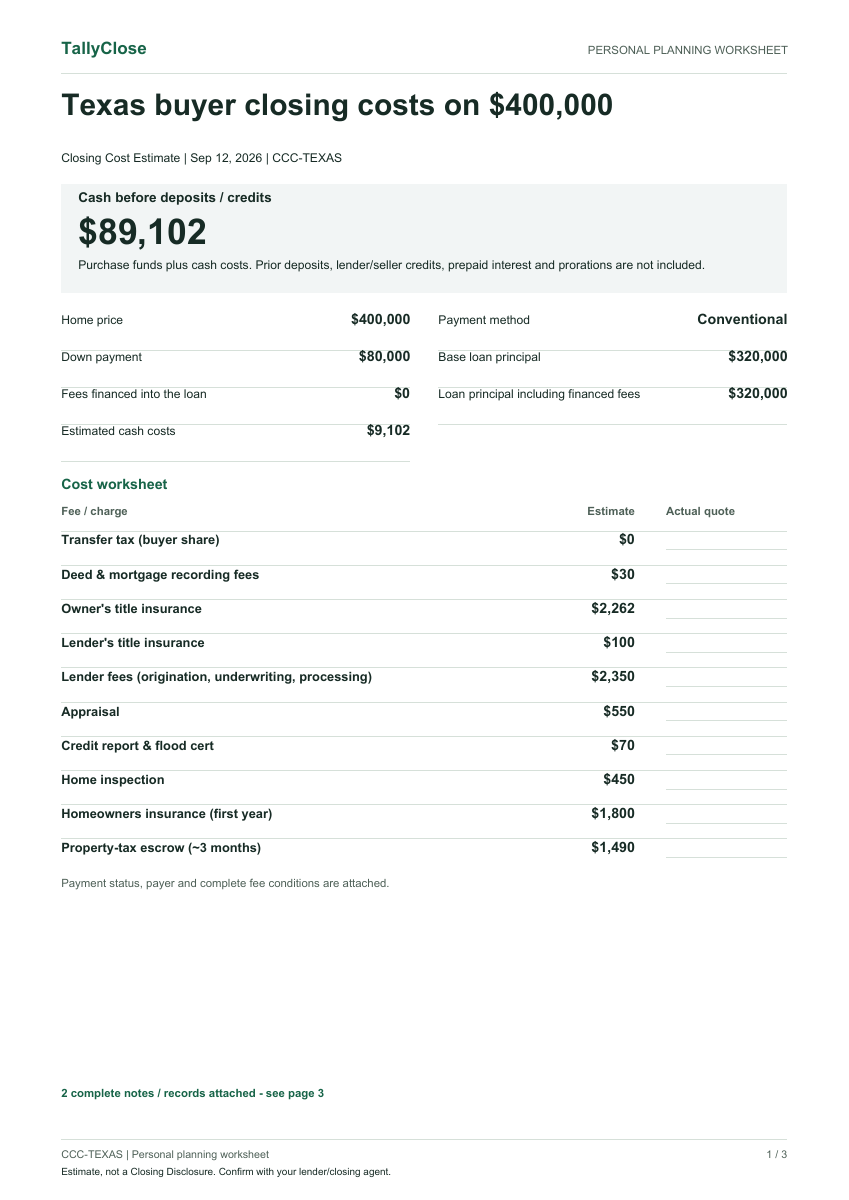
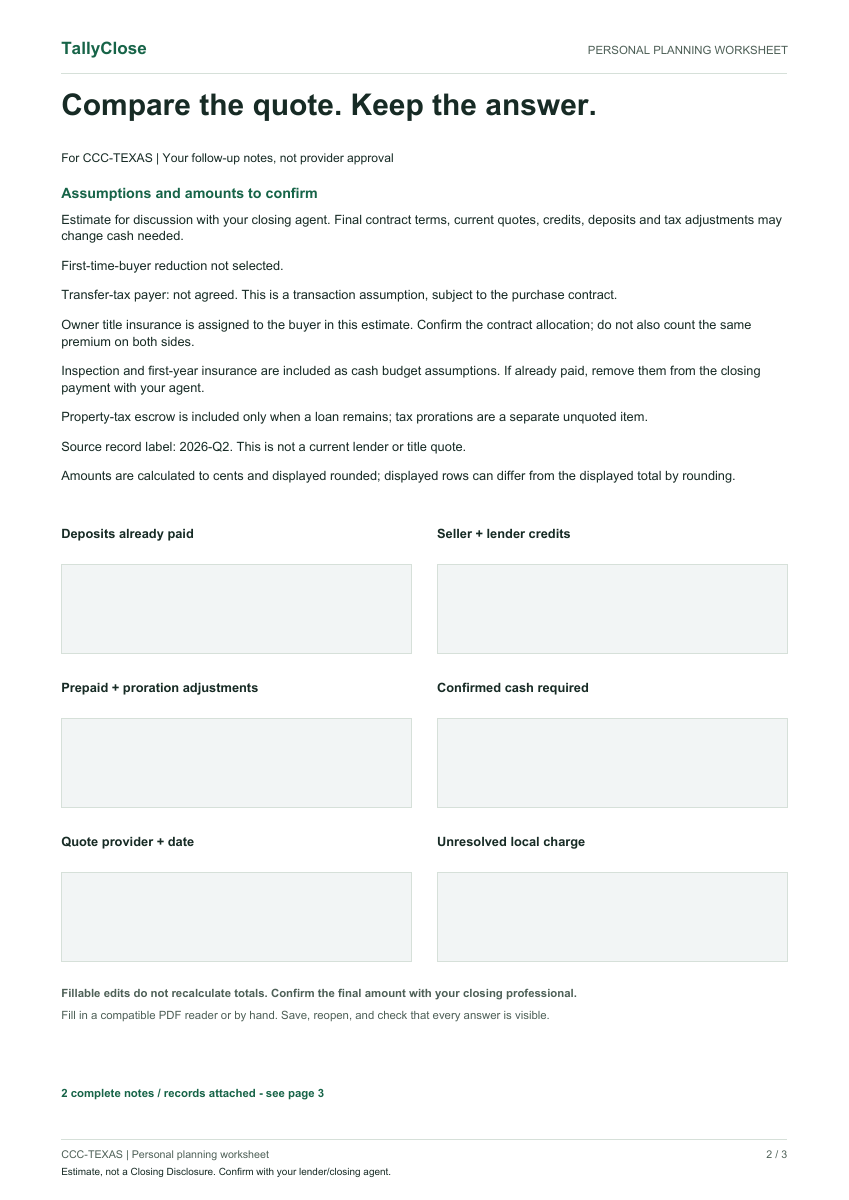
Take your costs, assumptions and open questions to your lender or closing professional. Record actual quotes and follow-up answers alongside the estimate.
- An actual-quote column beside estimated costs
- Six fillable fields for your review notes
- Purchase funds, financing and omissions kept visible
Fictional demonstration: Texas, $400,000 home, conventional loan, 20% down, no county selected. Generated by this tool on September 12, 2026 using the dataset labeled June 2026. Sample amounts are not current quotes. Filling the PDF does not recalculate amounts.
Work through the numbers.
All toolsSeparate the down payment, fees and prepaid items in a purchase budget.
Seller net proceedsReview selling expenses, loan payoff and the amount left after the sale.
Transfer tax lookupCheck the recorded rate, payment assumptions and local limits.
Title fee estimatorSee an estimate for owner and lender title premiums before requesting a quote.
Moving cost estimatorPlan a separate moving budget by home size and distance.
Local details matter.
Start with a state to review tax assumptions, recording fees and source notes. County and city boundaries can change what applies to your home.
Published dataset: June 2026. An included source does not establish the final charge for your transaction.
Buying outside the US?
Country guides →Explore the existing country calculators for a provisional purchase budget. Check the region, buyer eligibility and source dates before relying on any tax relief or exemption.
Frequently asked questions
What does the cash estimate include?
The buyer worksheet separates your down payment, estimated closing charges and prepaid items. It is a planning amount before deposits already paid, seller or lender credits, prorations and other transaction adjustments. Those items must be reconciled against your actual Loan Estimate and Closing Disclosure, or the settlement statement for a cash purchase.
Can I use it without signing up?
Yes. The calculators and downloads do not require an account or an email address. Calculations run in your browser, and saved estimate inputs stay on this device. If you choose a separate email notification form, the email address is submitted so we can send that notification.
How current are the rates?
The current published dataset is labeled June 2026. Individual source dates and scope vary. A historical rate, a public statistical sample and an actual transaction quote are different things. Follow the source notes and confirm local charges with your lender or closing agent before using an estimate.
Is this a lender quote or an official closing form?
No. TallyClose is an independent planning tool. Its worksheet helps you organize a budget and questions for the people handling your transaction. It does not replace a lender-issued Loan Estimate, Closing Disclosure or settlement statement.
Follow updates to our dataset
Request email updates when we publish revisions. This is not a real-time alert for every government rate change. Calculators and downloads work without subscribing.